Model Context Protocol (MCP) is an open standard that lets AI applications connect to tools, data and business systems through one common interface. It replaces a custom integration for every pair. In other words, it does for AI agents what a universal port does for hardware. For enterprises building agents in 2026, it is fast becoming the default way to give models governed access to real work.
This article is part of our AI & Machine Learning Development Guide 2026 – Section 8: The Future of AI: Scaling with Autonomous Agents and Agentic Workflows.
Key Takeaways
- One protocol, many systems. MCP replaces one-off connectors with a shared client-server standard.
- Three server building blocks. Servers expose tools (actions), resources (data) and prompts (templates).
- Open governance. The standard is now developed under the Linux Foundation, which lowers vendor lock-in risk.
- Security is your job. The protocol defines consent principles, but your platform must enforce them.
- Start small. Wrap one read-only system first, then add write actions behind approvals.
What Is the Model Context Protocol?
Large language models are only as useful as the context they can reach. Until recently, every team wired each model to each system by hand. As a result, ten AI apps and ten business systems could mean dozens of fragile integrations. The Model Context Protocol solves this with a single, documented contract between AI applications and the systems they use.
Anthropic introduced MCP as an open project in late 2024. Then, in December 2025, it donated MCP to the Agentic AI Foundation under the Linux Foundation. Consequently, the standard is no longer tied to a single model vendor. Today, many AI assistants, IDEs and agent frameworks can act as MCP clients.
If you are new to agents, our overview of agentic AI in enterprise workflows explains why tool access matters so much. In short, an agent that cannot read data or take actions is just a chatbot.
How Model Context Protocol Architecture Works
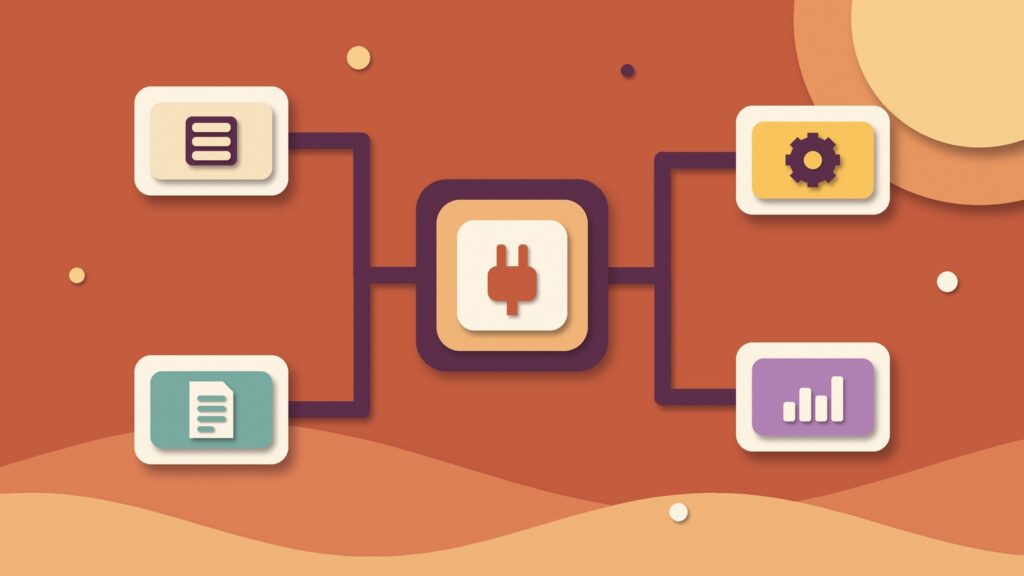
According to the official MCP specification, the protocol uses JSON-RPC 2.0 messages between three roles. First, the host is the AI application the user works in. Second, the client is a connector inside that host. Third, the server is a service that offers context and capabilities.
Servers can offer three kinds of features:
- Tools: functions the model can call, such as “create ticket” or “query sales report”.
- Resources: data the user or model can read, such as files, records or schemas.
- Prompts: reusable message templates and workflows that users can trigger.
Clients, in turn, can offer features back to servers. For example, elicitation lets a server ask the user for missing information mid-task. Meanwhile, HTTP-based servers should follow the authorization framework in the specification, while local servers take credentials from their environment.
The latest specification revision also makes the protocol stateless. In practice, every request carries its own version and capability metadata. Therefore, MCP servers fit more naturally behind standard load balancers and serverless platforms.
Model Context Protocol vs. Custom APIs and Function Calling
The Model Context Protocol does not replace your REST APIs. Instead, it sits on top of them and describes them in a way any compliant AI client can discover. The table below compares the three common approaches.
| Criterion | Custom API integration | Vendor function calling | MCP server |
|---|---|---|---|
| Reuse across AI apps | Low: built per app | Medium: tied to one model API | High: any MCP client |
| Discovery | Manual documentation | Defined in each prompt | Clients list tools at runtime |
| Vendor lock-in | Low, but high effort | Higher | Low: open, neutral standard |
| Auth model | Your own design | Your own design | Specified framework for HTTP |
| Best fit | One fixed workflow | Single-model prototype | Many agents sharing systems |
For a single, fixed workflow, a direct API call is still fine. However, several agents often need the same CRM, ERP or knowledge base. In that case, one MCP server per system is usually easier to build and maintain.
Enterprise Use Cases for MCP Servers
- Knowledge access: expose document stores and search as resources, complementing RAG pipelines for private business data.
- IT and DevOps: let coding assistants read tickets, logs and CI results through approved servers.
- Customer operations: give support agents read access to orders and write access to refunds behind approval.
- Content operations: connect assistants to a CMS so they can draft, validate and schedule content.
Model Context Protocol Security Risks and Controls
Connecting models to real systems through the Model Context Protocol raises the stakes. The specification itself states that tools represent arbitrary code execution and must be treated with caution. It also says that tool descriptions should be considered untrusted unless they come from a trusted server. Hosts must obtain explicit user consent before invoking any tool.
Here are the main risks enterprise teams should plan for:
- Prompt injection through tool output. A malicious web page or email can try to steer the agent. Our guide on LLM security and prompt injection defense covers this in depth.
- Over-privileged servers. A server holding an admin token turns every model mistake into an admin mistake.
- Untrusted third-party servers. Public servers can change their tool descriptions after you approve them.
- Silent data leakage. Resources may pass sensitive records to a model or region you did not approve.
To counter these risks, apply least privilege per server and per user. Next, keep an allowlist of approved servers and pin their versions. In addition, log every tool call with trace context. The MCP specification reserves fields for OpenTelemetry trace propagation, so agent activity can flow into your existing monitoring stack. Finally, map these controls to your responsible AI governance framework.
How to Adopt the Model Context Protocol in 6 Steps
- Pick one high-value system. Choose a system agents need often, such as a knowledge base or ticketing tool.
- Start read-only. Expose resources and safe query tools first, so mistakes cannot change data.
- Design narrow tools. Prefer “get_invoice_status” over a generic “run_sql” tool. Narrow tools are easier to secure and test.
- Add authentication and scopes. Use the specified authorization flow for remote servers and map scopes to existing roles.
- Test with real tasks. Build an evaluation set of agent tasks and run it on every server change, as described in our LLM evaluation guide.
- Add write actions behind approvals. Then roll out to more agents, with monitoring and a clear owner for each server.
Common Mistakes to Avoid
First, many teams wrap an entire API as dozens of tools. As a result, the model gets confused and token costs rise. Instead, expose only the operations a real task needs. Second, teams often skip versioning, so a small server change quietly breaks agents in production. Third, some teams trust community servers without review. Treat every external server like any other third-party dependency, with code review and security scanning.
Also, remember that the Model Context Protocol is a connection layer, not an agent design. You still need planning, memory and guardrails. For those patterns, see our article on deploying enterprise agentic AI and small language models.
How Yotec Helps You Build Production MCP Integrations
Yotec designs and builds AI systems that use the Model Context Protocol to connect safely to the tools your teams already use. Our engineers can help you:
- Audit your systems and choose the first MCP use case with a clear business KPI.
- Build secure MCP servers in Python, Java or .NET on top of your existing APIs.
- Add authentication, audit logging, evaluation and monitoring from day one.
- Integrate agents with RAG, governance and your wider AI development roadmap.
Ready to give your AI agents governed access to real business systems? Contact Yotec to discuss your project.
Frequently Asked Questions About Model Context Protocol
It is an open standard that lets AI applications connect to tools and data through one common interface. Instead of building a custom connector for every model and system, you build one MCP server per system and reuse it across compatible AI clients.
Anthropic created MCP and, in December 2025, donated it to the Agentic AI Foundation under the Linux Foundation. The specification is developed openly with community contributors.
No. MCP usually sits on top of existing APIs. An MCP server describes selected API operations as tools and resources, so AI clients can discover and call them in a consistent way.
It can be, but security depends on your implementation. The specification sets principles such as user consent and tool safety. Your team must still enforce least privilege, authentication, server allowlists and audit logging.
A simple read-only server for one system can be prototyped quickly. A production server with authentication, monitoring, evaluation and approvals takes longer and depends on the system’s complexity.